


Businesses need to stay agile and efficient to thrive. Salesforce, the world’s leading Customer Relationship Management (CRM) platform, offers a robust suite of tools designed to optimise operations, automate business processes, and enhance customer interactions.
Among these tools, workflow automation plays a critical role in helping businesses streamline their processes.
This blog post will dive deeper into what workflow automation is within Salesforce, how it works, and how businesses can implement it for maximum impact.
Introduction to Salesforce and Workflow Automation
Salesforce is more than just a CRM; it’s a platform designed to provide a 360-degree view of a company’s customers while facilitating improved communication, collaboration, and decision-making. Salesforce’s flexibility and scalability have made it a preferred choice for companies across industries to manage customer data, sales, marketing, and customer service processes.
One of the core strengths of Salesforce lies in its ability to automate tasks and processes, allowing businesses to reduce manual work, enhance accuracy, and free up time for more strategic activities.
Workflow automation in Salesforce is one such feature that has revolutionised the way businesses operate. It allows companies to define specific triggers and actions that automate routine tasks such as sending notifications, updating fields, and managing tasks, ensuring consistent results without the need for manual intervention.
Understanding Workflow in Salesforce
What is Workflow in Salesforce?
In simple terms, a workflow in Salesforce is a set of rules that trigger automated actions based on specific conditions or events. These actions are predefined by the user and can include a variety of tasks such as sending email alerts, updating records, creating tasks, or sending outbound messages to external systems.
The purpose of workflow automation is to ensure that repetitive, time-consuming tasks are carried out consistently and promptly.
Salesforce workflows are a great way to standardise business processes, reduce human error, and ensure that critical actions are taken without delay.
Workflow vs. Process Builder vs. Flow Builder
Salesforce provides several tools to automate processes: Workflow Rules, Process Builder, and Flow Builder. Each of these tools serves different purposes and is suited to various levels of complexity.
- Workflow Rules: These are the foundational automation tool within Salesforce. They allow for the automation of simple processes with straightforward if/then logic. Workflow rules are easy to set up and ideal for tasks like sending email notifications or updating fields when a record meets certain criteria. However, Workflow Rules are limited to performing only a single action, which makes them less suitable for complex workflows.
- Process Builder: Process Builder is a more advanced tool that allows users to automate complex business processes with multiple steps and conditional logic. It supports actions such as creating new records, calling Apex code, and even invoking other processes. However, Salesforce has announced the retirement of Process Builder in favour of Flow Builder. Users are encouraged to transition their automation needs to Flow Builder, as it provides more flexibility and greater functionality.
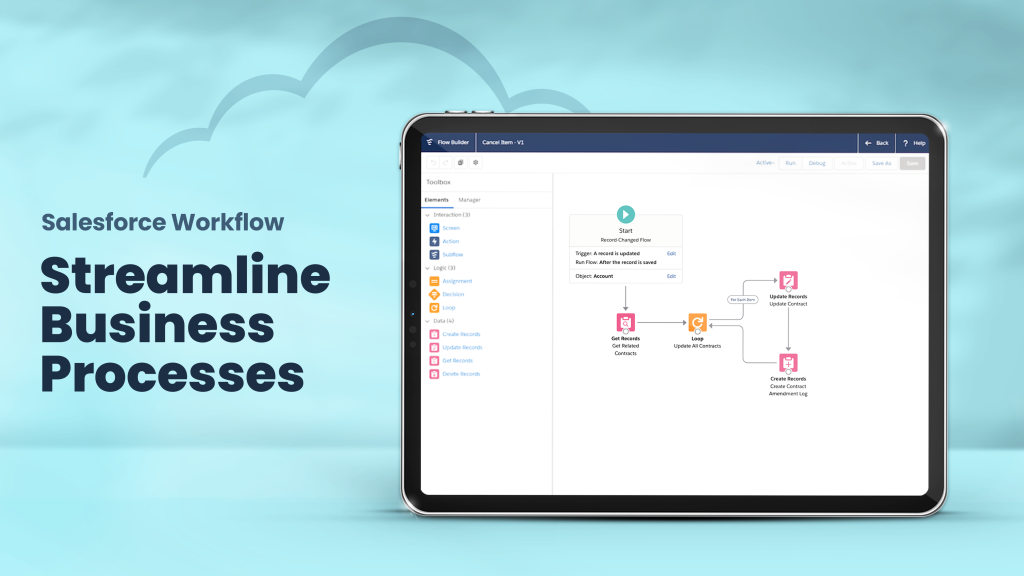
- Flow Builder: Flow Builder is the most powerful and flexible automation tool in Salesforce. It allows users to create complex workflows that can interact with multiple objects, execute sophisticated business logic, and provide a more user-friendly interface with its drag-and-drop functionality. Flow Builder enables users to automate highly customised processes without needing extensive coding knowledge. As Process Builder is being phased out, Flow Builder is positioned to become the go-to solution for most automation tasks in Salesforce.
By understanding the strengths and limitations of each tool, businesses can choose the best fit for their automation needs.
Key Features of Salesforce Workflow
Salesforce workflows are made up of several components that work together to automate business processes. Understanding these key features can help businesses harness the full potential of workflow automation.
Workflow Rules
Workflow rules form the foundation of any Salesforce workflow. These rules define the criteria that must be met for the workflow to be triggered. For example, a workflow rule might be set to trigger whenever a lead is marked as “qualified”, or when an opportunity reaches a certain stage in the sales pipeline.
Workflow rules are highly customisable, allowing businesses to define precise conditions that are meaningful for their specific operations. These rules can be configured to trigger actions either immediately or at a later time, providing flexibility in how processes are managed.
Types of Actions in Workflow
Once a workflow rule is triggered, Salesforce can automate several types of actions. Some of the most commonly used actions include:
- Email Alerts: This action automatically sends an email to designated recipients whenever a workflow rule is triggered. For example, an email alert could be sent to a salesperson when a lead’s status is updated, or to a manager when a customer case is resolved.
- Field Updates: This action automatically updates the value of a field in a record based on predefined conditions. For instance, if a sales opportunity is closed, a workflow could update the status field to “Closed-Won”, ensuring that all relevant stakeholders are informed.
- Task Creation: Workflow automation can create tasks for users to follow up on specific records or events. For example, when a customer expresses interest in a product, a task can be created for the sales representative to follow up with them.
- Outbound Messages: Salesforce workflows can also send outbound messages to external systems or applications, enabling integration with third-party tools or services.
By automating these actions, businesses can ensure that critical tasks are completed in a timely manner and that nothing falls through the cracks.
Time-Dependent Actions
Salesforce workflows can be set to trigger actions not only immediately but also after a specified delay. This feature is useful for scenarios where actions need to occur at a later time. For example, a business might want to send a reminder email to a customer one week before their subscription renewal date.
Time-dependent actions can be particularly beneficial for businesses that require follow-ups or reminders based on specific timelines. This ensures that actions are taken at the right moment, reducing the likelihood of missing important deadlines or opportunities.
Step-by-Step Guide: Setting Up a Workflow in Salesforce
Setting up a workflow in Salesforce is a straightforward process, but it requires careful planning to ensure that it aligns with your business goals. Here’s a step-by-step guide to help you set up workflows in Salesforce.
Step 1: Define Workflow Rules
The first step is to define the workflow rule. This involves identifying the object (e.g., leads, opportunities) and the conditions that must be met for the workflow to trigger. For example, you might set a rule that triggers when an opportunity’s stage changes to “Closed-Won”.
Ensure that the conditions for the rule are precise and meaningful to avoid unnecessary triggers. A well-defined workflow rule is the cornerstone of a successful automation strategy.
Step 2: Choose the Workflow Actions
Next, you’ll need to define the actions that should occur once the workflow is triggered. Salesforce offers several options, including sending email alerts, updating fields, creating tasks, and sending outbound messages.
Think about the tasks that can be automated in your workflow and choose the appropriate actions to achieve the desired results. For example, if the goal is to notify the sales team about a closed deal, you might choose to send an email alert and create a task for follow-up.
Step 3: Activate the Workflow
Once you’ve configured the rule and actions, the next step is to activate the workflow. This will trigger the workflow whenever the specified conditions are met. Be sure to test the workflow in a sandbox environment before activating it in the live system to ensure everything functions as expected.
Step 4: Monitor and Test the Workflow
After activation, it’s crucial to monitor the workflow and test it periodically to ensure that it’s working as intended. Salesforce provides tools to monitor workflow performance and identify any potential issues.
Regularly reviewing and testing workflows will ensure that your automation remains effective and that any necessary adjustments can be made.
Conclusion
Workflow automation in Salesforce is a powerful tool for streamlining business processes, reducing manual effort, and improving overall efficiency. By understanding how workflows work, businesses can automate routine tasks, enhance productivity, and ensure that processes are consistently followed.
At Westbrook, we specialise in helping businesses in the UK implement Salesforce workflows that are tailored to their unique needs. Whether you’re looking to improve lead management, streamline sales processes, or enhance customer service, our team can guide you through the setup and optimisation of workflows to maximise your Salesforce investment.
Ready to optimise your business processes with Salesforce workflow automation? Get in touch with us today and let’s discuss how we can help you achieve greater efficiency and success through intelligent automation.